Route Planning for Home Service Businesses That Run 15+ Jobs a Day
Your techs left the shop at 7 AM. By noon, two are stuck in the same neighborhood they already drove through an hour ago. A third just called — the 1 PM appointment is 30 minutes away and the current job is running long. You are burning fuel and losing customers at the same time.
This post covers the criteria that separate a real routing tool from another pin-on-a-map gimmick. Plus habits that keep your dispatch tight when you are juggling 15, 20, or 50 stops a day.
What Most Tools Get Wrong
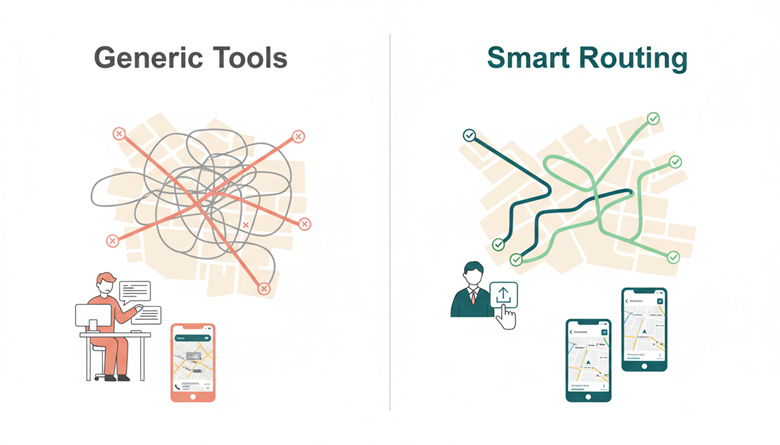
Generic mapping tools treat every stop as equal. They optimize one list into one path. That works for a single delivery driver. It falls apart the moment you have four techs covering different zones with different start times.
Most tools also assume your data lives inside their platform. If your jobs are booked in ServiceTitan, Housecall Pro, or a spreadsheet, you are stuck copying addresses one by one. That alone eats 30 minutes of your dispatcher’s morning.
Then there is the phone problem. You build a route on your desktop. Now you need each tech to actually follow it. Texting a screenshot of a map is not a system.
If your dispatcher spends more time planning routes than your techs spend driving them, the tool is the bottleneck.
See also: How Home Remodeling Enhances Energy Efficiency and Indoor Comfort
What a Good Route Planning Tool Actually Does
Multi-Route Splitting Across Techs
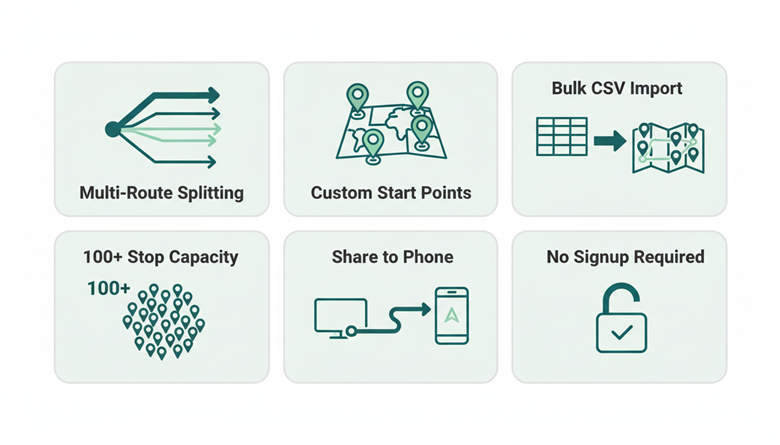
You paste in 40 jobs. The tool lets you split them into four separate routes — one per tech. Not four separate sessions. One upload, multiple outputs. Without this, you are doing the same work four times every morning.
Custom Start and End Points
Your HVAC tech starts from home in the suburbs. Your plumber starts from the warehouse downtown. A useful route planner lets you set different origins and destinations for each route. Tools that force a single depot assume a business model you do not run.
Bulk Import from a Spreadsheet
Your scheduling software already holds every job address. A capable tool accepts a CSV or Excel upload and plots all stops instantly. No retyping. No copy-paste errors. Your dispatcher exports, uploads, and moves on.
High Stop Capacity
Some tools cap routes at 10 or 25 stops. That is a dealbreaker when a single pest control tech runs **30+ stops in a day**. Look for capacity of at least 100 stops per route plan.
Route Sharing to Each Tech’s Phone
A route is useless if it stays on the dispatcher’s screen. The tool should let you download or share each optimized route directly to a tech’s phone. One tap, turn-by-turn navigation starts.
No Signup, No Credit Card
If the tool requires a demo call before you can test it, skip it. The best options let you plan routes immediately — free, no account creation, no trial countdown.
Habits That Keep Dispatch Running Clean
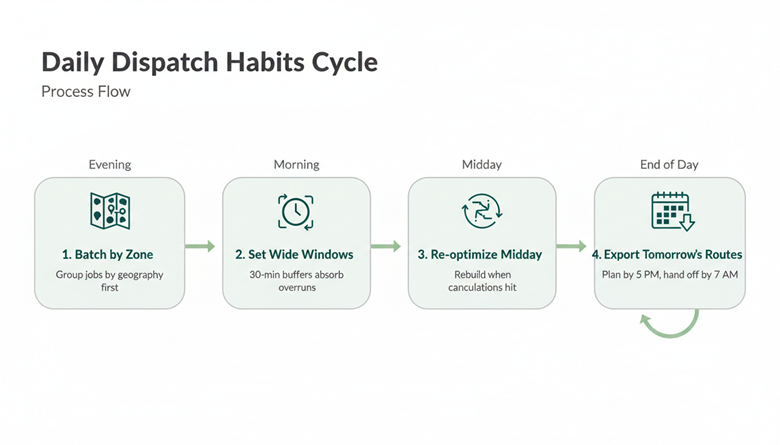
Batch jobs by zone the night before. Do not assign jobs in the order they were booked. Group them by geography first. Time-of-day preferences come second.
Set appointment windows wider than you think. A 30-minute buffer between jobs absorbs the overruns that cascade into missed windows. Your customers prefer “between 1 and 3” over a broken promise of “at 1:15.”
Re-optimize mid-day when cancellations hit. A good route planner lets you pull the remaining stops and rebuild in under a minute. Do not let your techs keep following a dead route.
Export tomorrow’s routes before you leave the office. Morning scrambles cause mistakes. A dispatcher who plans routes by 5 PM today hands each tech a clean path by 7 AM tomorrow.
Your Competitors Already Figured This Out
The home service company across town running the same number of jobs is either spending less on fuel or fitting more jobs into the same hours. Often both. Route optimization is the lever.
The math is blunt. Eliminating 20 unnecessary miles per tech per day across five techs saves over 26,000 miles a year. At current fuel and maintenance costs, that is real money back in your margin.
Businesses that still dispatch off a whiteboard are not just inefficient. They are slower to respond, harder to scale, and more likely to lose the customer who got a tighter arrival window from someone else.
The gap between organized and disorganized routing only widens as you add techs and territory. Every month without a system is a month of compounding waste.